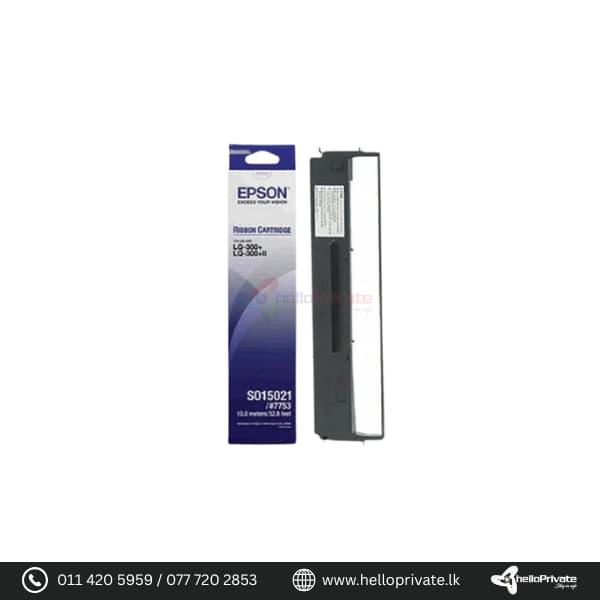



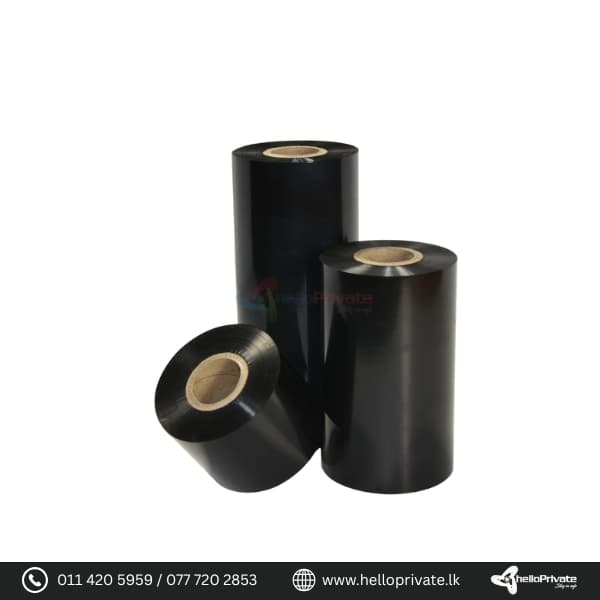
Epson LQ 300 Ribbon

Colour Black

Buy More, Save Bigger!

Exclusive Wholesale Deals – Grab Them Before They're Gone!

රු1,650.00

1000 in stock

1000 in stock

Add to Quote
153 People watching this product now!
  • Pick up from the Hello private

To pick up today

Free

  • Courier delivery

Our courier will deliver to the specified address

2-3 Days

350

  • DHL Courier delivery

DHL courier will deliver to the specified address

2-3 Days

560

Payment Methods:

Description

Epson LQ 300 Ribbon

This Epson LQ 300 Ribbon is designed to ensure consistent and reliable printing performance for your Epson dot matrix printers. Compatible with models such as the Epson LQ-200, LQ-300, LQ-400, LQ-450, LQ-500, LQ-550, LQ-570, LQ-800, LQ-850, and LQ-870, it delivers high-quality prints ideal for various business and industrial applications.

Overview

The Epson LQ 300 Ribbon is engineered to meet the specific demands of continuous printing tasks, offering durability and clarity in every printout. Whether you are printing invoices, shipping documents, or reports, this ribbon ensures crisp and legible results.

Detailed Description

The ribbon cartridge is easy to install and replace, minimizing downtime and maximizing productivity. Its high-yield design ensures prolonged use before replacement is needed, making it cost-effective for businesses with high print volume requirements.

Usage Instructions

  • Ensure the printer is powered off before replacing the ribbon cartridge.
  • Open the printer cover and locate the old ribbon cartridge.
  • Remove the old cartridge by lifting it out carefully.
  • Insert the new ribbon cartridge into the designated slot, ensuring it is securely in place.
  • Close the printer cover and power on the printer.

FAQs

Question Answer
What printers are compatible with this ribbon? The Epson LQ 300 Ribbon is compatible with Epson dot matrix printers including LQ-200, LQ-300, LQ-400, LQ-450, LQ-500, LQ-550, LQ-570, LQ-800, LQ-850, and LQ-870.
How many pages can this ribbon print? The page yield varies based on the specific printer model and usage conditions. Typically, it can print a high volume of pages before needing replacement.
Is the installation of the ribbon cartridge difficult? No, the installation process is straightforward. Simply follow the printer’s user manual for detailed instructions on replacing the ribbon cartridge.

Epson 7753 ( For LQ 300+) Ribbon Color: Black

Specification

Overview

Processor

Display

RAM

Storage

Video Card

Connectivity

Features

Battery

General

Customer Reviews

0 reviews
0
0
0
0
0

There are no reviews yet.

Be the first to review “Epson LQ 300 Ribbon”

Your email address will not be published. Required fields are marked *

1 2 3 4 5
1 2 3 4 5
1 2 3 4 5

You have to be logged in to be able to add photos to your review.