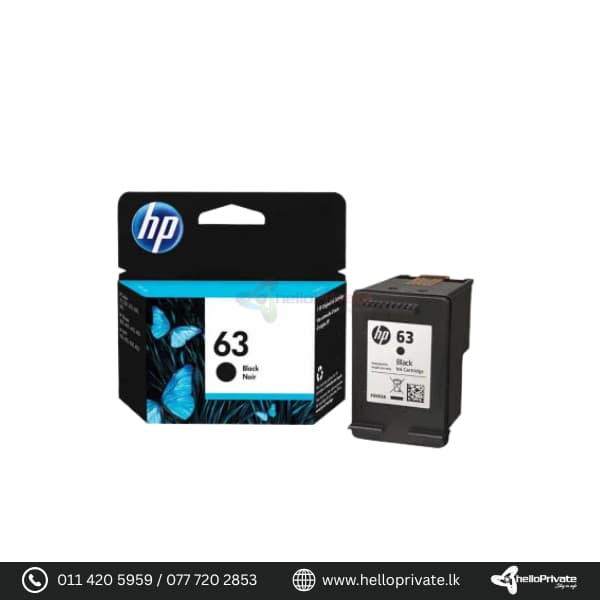



HP 63 Ink Cartridge Black

SKU: HP63011

Cartridge Black
Page yield (black and white) ~190 pages

Buy More, Save Bigger!

Exclusive Wholesale Deals – Grab Them Before They're Gone!

රු8,800.00

1000 in stock

1000 in stock

Add to Quote
91 People watching this product now!
  • Pick up from the Hello private

To pick up today

Free

  • Courier delivery

Our courier will deliver to the specified address

2-3 Days

350

  • DHL Courier delivery

DHL courier will deliver to the specified address

2-3 Days

560

Payment Methods:

Description

HP 63 Ink Cartridge, Black

The HP 63 Ink Cartridge in Black is designed to provide high-quality, reliable printing for your everyday documents and photos. This standard capacity cartridge ensures sharp text and consistent, fade-resistant results, making it perfect for home and office use.

Product Specifications

Feature Details
Page Yield (Black and White) ~190 pages
Cartridge Capacity Standard
Color Black
Technology Ink
Compatibility
  • HP DeskJet 1110,
  • HP DeskJet 1115,
  • HP DeskJet 2130,
  • HP DeskJet 2135,
  • HP DeskJet 3630,
  • HP ENVY 4520,
  • HP OfficeJet 3830,
  • HP OfficeJet 4650

Usage Instructions

  1. Ensure your printer is turned on.
  2. Open the ink cartridge access door.
  3. Remove the old cartridge by gently pushing it down and pulling it out.
  4. Unpack the new HP 63 Ink Cartridge and remove the protective tape.
  5. Insert the new cartridge into the slot and push it until it clicks into place.
  6. Close the ink cartridge access door and follow any on-screen prompts to align the cartridge if necessary.

FAQs

Q: How many pages can the HP 63 Ink Cartridge print?

A: The HP 63 Ink Cartridge can print approximately 190 pages based on standard usage.

Q: Is this cartridge compatible with my HP DeskJet 2135?

A: Yes, the HP 63 Ink Cartridge is compatible with the HP DeskJet 2135 and several other HP printer models.

Q: How should I store my ink cartridges?

A: Store ink cartridges in a cool, dry place away from direct sunlight and ensure they are kept in an upright position.

Q: What should I do if my prints are streaky or faded?

A: If your prints are streaky or faded, try running the printer’s cleaning utility or check if the cartridge is running low on ink and needs replacement.

Specification

Overview

Processor

Display

RAM

Storage

Video Card

Connectivity

Features

Battery

General

Customer Reviews

0 reviews
0
0
0
0
0

There are no reviews yet.

Be the first to review “HP 63 Ink Cartridge Black”

Your email address will not be published. Required fields are marked *

1 2 3 4 5
1 2 3 4 5
1 2 3 4 5

You have to be logged in to be able to add photos to your review.